A VizuDine add-on · Guest self-order kiosk
Let walk-ins order themselves.
Turn any tablet or touch screen at your counter into a self-order kiosk. Guests browse your menu, order and take a pickup number, then pay at the counter — your cashier confirms and it hits the kitchen. $15 a month a screen. No $3,000 kiosk.
Part of VizuDine. See the whole restaurant system →
- $15a month per screen
- $0hardware from us
- Pay at the counter
- Any tablet or touch PC
- Pickup numbers
- Now-serving screen
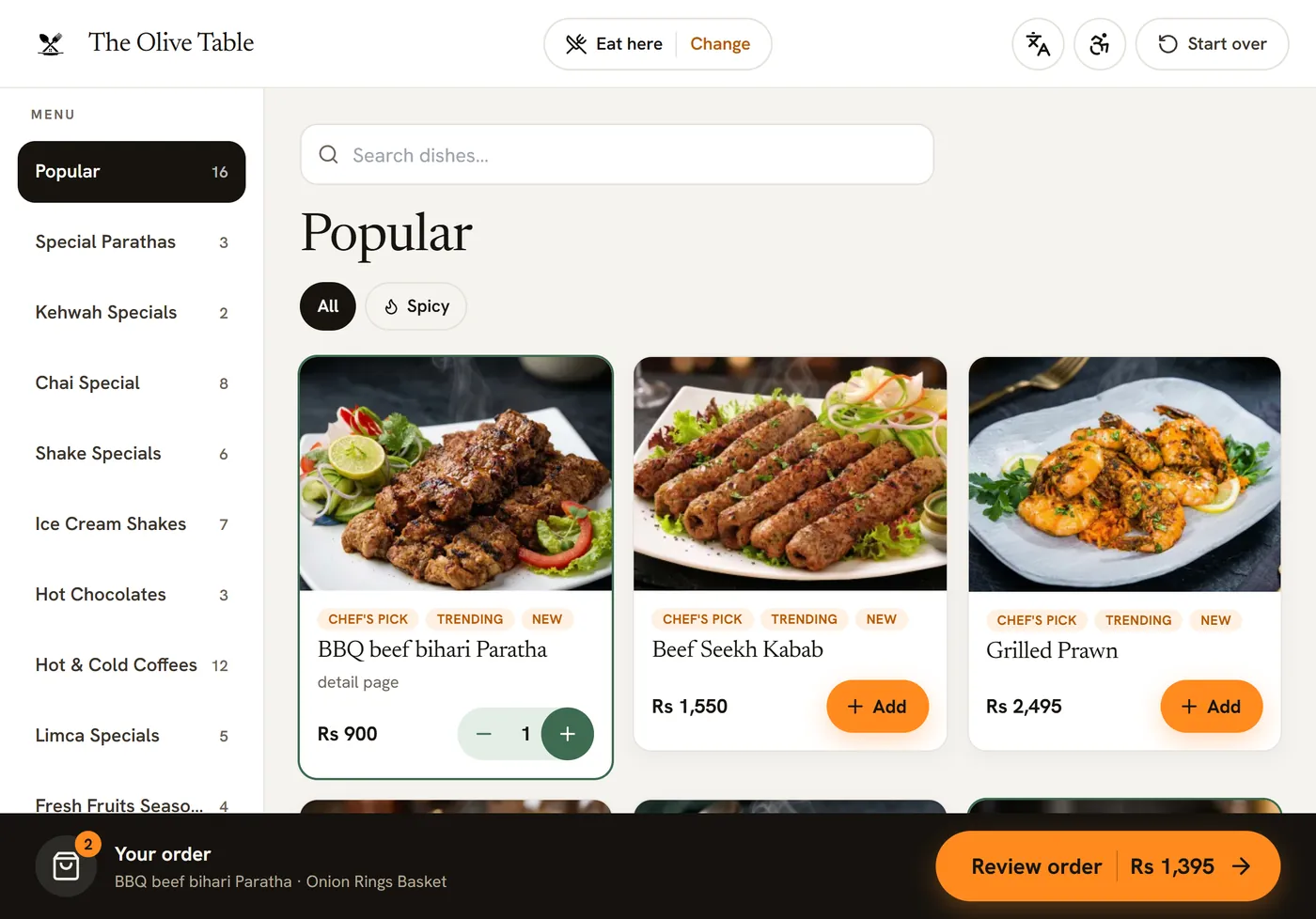
The actual kiosk
This is what your guests tap through.
Real VizuDine kiosk screens — your menu, your prices, your branding. About two minutes from "eat here" to a pickup number, and nobody has to queue to order.
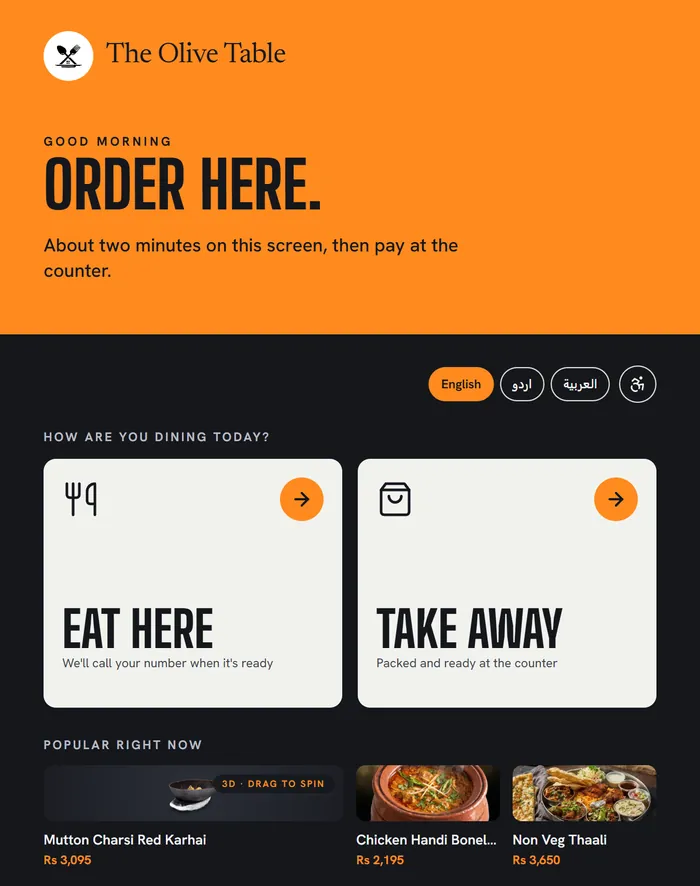
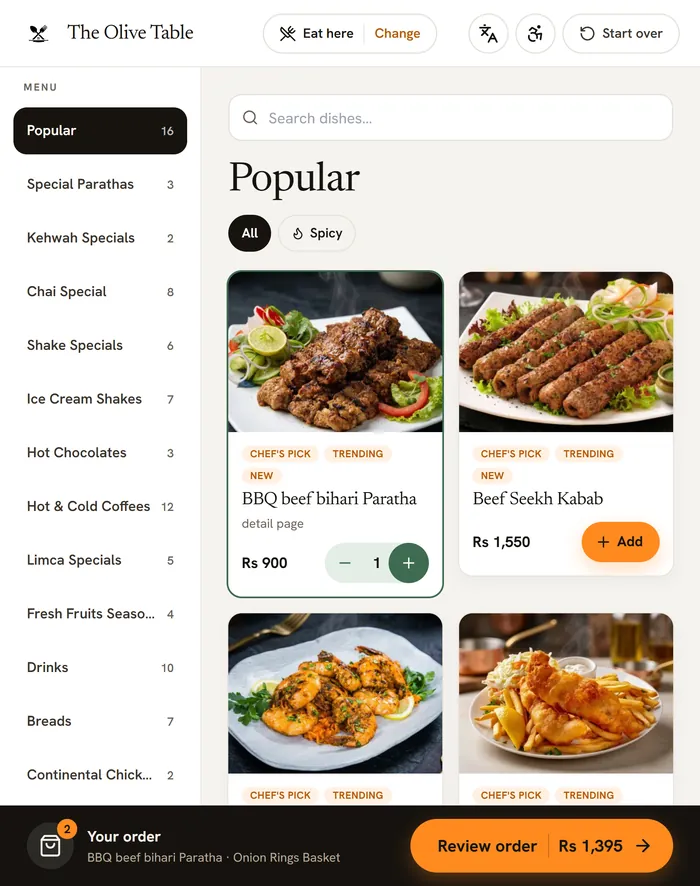
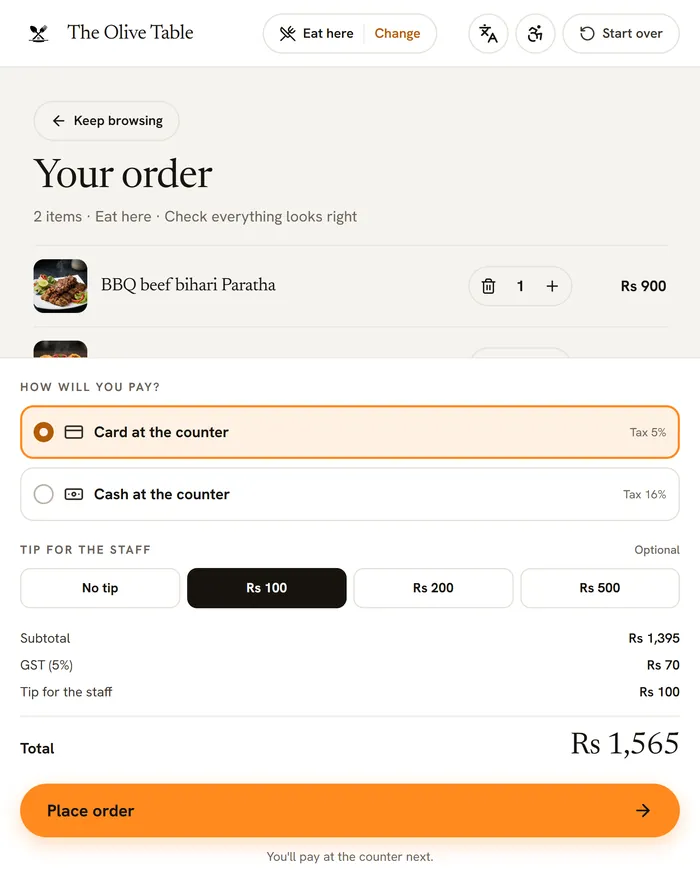
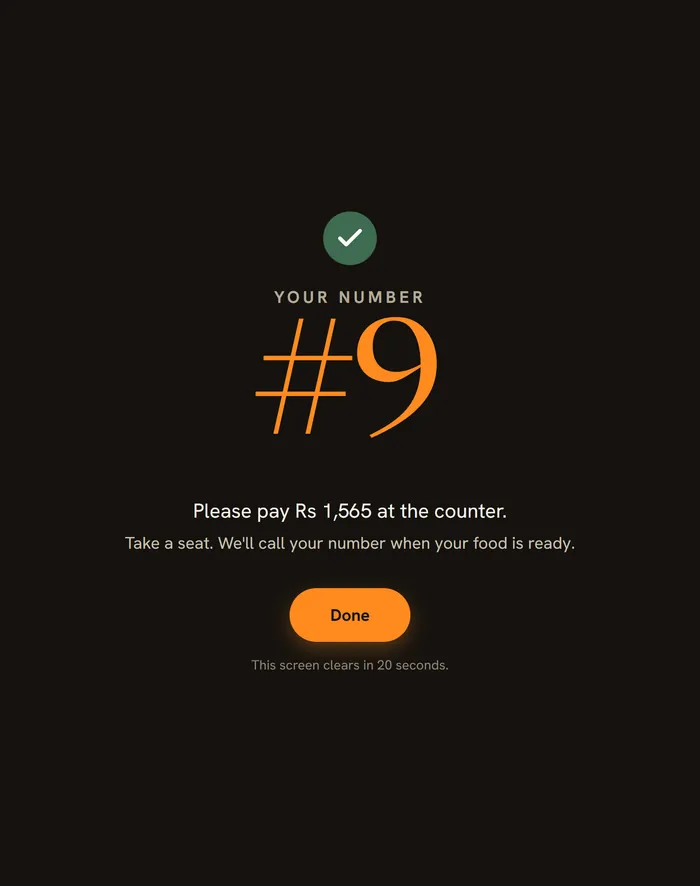
Real VizuDine kiosk screens · demo restaurant "The Olive Table", example prices
How it works
Order at the screen, pay at the counter.
The kiosk uses your real VizuDine menu — the same dishes and prices. A person always checks the order before the kitchen, so nothing goes out unpaid.
Pair a screen
Add a kiosk in Settings, get a 6-digit code, and enter it on the tablet at vizuworld.com/kiosk. It stays paired.
The guest orders
Eat here or take away, browse the menu in 3D, add dishes and options, choose card or cash and an optional tip.
They get a number
A big pickup number appears — “Please pay at the counter.” The screen clears itself for the next guest.
The cashier confirms
The order lands on your POS as “Awaiting payment.” Take payment and tap Paid · send to kitchen.
Now serving
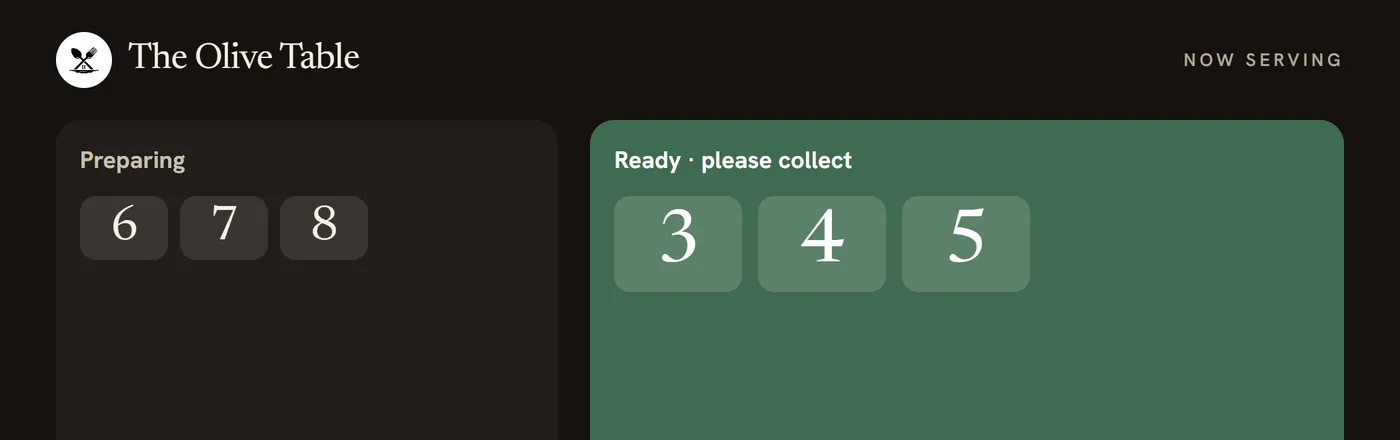
Show pickup numbers on a spare screen or TV — preparing, then ready to collect — so guests know when to come up.
Unpaid ones clear
An order nobody comes to pay for is cancelled after the time you set, so a walk-away never clogs the till.
Why a kiosk
Shorter queues, bigger baskets, fewer mistakes.
A self-order screen takes the rush-hour pressure off the counter and lets guests take their time — which usually means they order a little more.
- No queueGuests order while your staff cook and hand over. The line at the till gets shorter.
- Bigger ordersPeople add the side and the drink when a screen suggests it — no pressure, no rush.
- Right every timeThe guest picks it themselves, so there are no mis-heard orders across a busy counter.
- $15, not $3,000Use a tablet you already have. No dedicated kiosk hardware, no installer, no contract.
Industry findings for self-order kiosks; your results depend on your menu and footfall.
Built in
Made to sell more — and serve everyone.
The kiosk keeps getting smarter. Each of these is on your real menu data and switches on from your dashboard — no new hardware.
What you need
A screen you probably already own.
Bring your own hardware and lock it to the kiosk page. Staff leave the screen with a private exit PIN.
An Android tablet
On a stand at the counter. Lock it to the kiosk with Screen pinning so guests can’t leave the page.
Or an iPad
Lock it with Guided Access. Open vizuworld.com/kiosk and pair it with your code.
Or a Windows touch PC
Run the VizuWorld desktop app and start Guest kiosk mode — a locked full-screen till.
A receipt printer — optional
On the desktop app, print each guest a number slip. Wi-Fi and a started business day are all the kiosk needs.
Pricing · Guest kiosk
$15 a month per screen.
An add-on to your VizuDine plan — $39 a month a branch — so a branch with one kiosk is $54 a month. Add as many screens as you like; each is $15. Nothing is ever added to the guest’s bill.
- Per screen
- $15 a month (PKR 4,200)
- Pay yearly
- Ten months — $150 a screen a year
- Hardware
- Bring your own tablet or touch PC — nothing to buy from us
- Guest’s bill
- Nothing added, ever
- Contract
- None — add or remove screens any month
Already on VizuDine?
- Ask us to switch Guest kiosk on for your branch
- Set a staff exit PIN, add a screen, pair the tablet
- Start taking counter orders the same day
One branch · with one guest kiosk
- VizuDine plan$39
- Guest kiosk × 1$15
- Setup & onboardingincl.
- Kiosk hardwareyour own
- Fees on guests' bills$0.00
Each extra screen is $15 a month. Pay yearly and get 2 months free.
Thank you — see you at the counter
Questions
Guest self-order kiosk — your questions
Do guests pay on the kiosk?
No. Guests order and get a pickup number, then pay at the counter. Your cashier takes payment and taps Paid, which sends the order to the kitchen — a person always checks it first. Nothing is added to the guest’s bill.
What hardware do I need?
Any Android tablet on a stand, an iPad locked with Guided Access, or a Windows touch PC running the VizuWorld desktop app. A receipt printer is optional, for number slips. There’s no special kiosk hardware to buy.
How much does it cost?
$15 a month per screen (PKR 4,200), on top of your $39-a-month VizuDine plan. Pay yearly and a screen is ten months — $150. Add or remove screens any month.
Does it replace my staff?
No — it takes the ordering pressure off them at the rush. Staff still take payment, confirm each order and hand it over. The kiosk just lets guests build the order themselves.
Can I run more than one screen?
Yes. Run one at the counter or several across a busy floor. Each screen is $15 a month and shows the same live menu.
What if someone orders and walks off?
An unpaid kiosk order is cancelled automatically after a time you choose, so it never clogs the till or the kitchen.
Add a Guest kiosk
Turn your counter into a self-order kiosk.
Start your free week of VizuDine, then ask us to switch on Guest kiosk for your branch — $15 a month a screen, on the tablet you already have.